
Instructions to use google/gemma-2-9b-it with libraries, inference providers, notebooks, and local apps. Follow these links to get started.
- Libraries
- Transformers
How to use google/gemma-2-9b-it with Transformers:
# Use a pipeline as a high-level helper from transformers import pipeline pipe = pipeline("text-generation", model="google/gemma-2-9b-it") messages = [ {"role": "user", "content": "Who are you?"}, ] pipe(messages)# Load model directly from transformers import AutoTokenizer, AutoModelForCausalLM tokenizer = AutoTokenizer.from_pretrained("google/gemma-2-9b-it") model = AutoModelForCausalLM.from_pretrained("google/gemma-2-9b-it") messages = [ {"role": "user", "content": "Who are you?"}, ] inputs = tokenizer.apply_chat_template( messages, add_generation_prompt=True, tokenize=True, return_dict=True, return_tensors="pt", ).to(model.device) outputs = model.generate(**inputs, max_new_tokens=40) print(tokenizer.decode(outputs[0][inputs["input_ids"].shape[-1]:])) - Inference
- Notebooks
- Google Colab
- Kaggle
- Local Apps
- vLLM
How to use google/gemma-2-9b-it with vLLM:
Install from pip and serve model
# Install vLLM from pip: pip install vllm # Start the vLLM server: vllm serve "google/gemma-2-9b-it" # Call the server using curl (OpenAI-compatible API): curl -X POST "http://localhost:8000/v1/chat/completions" \ -H "Content-Type: application/json" \ --data '{ "model": "google/gemma-2-9b-it", "messages": [ { "role": "user", "content": "What is the capital of France?" } ] }'Use Docker
docker model run hf.co/google/gemma-2-9b-it
- SGLang
How to use google/gemma-2-9b-it with SGLang:
Install from pip and serve model
# Install SGLang from pip: pip install sglang # Start the SGLang server: python3 -m sglang.launch_server \ --model-path "google/gemma-2-9b-it" \ --host 0.0.0.0 \ --port 30000 # Call the server using curl (OpenAI-compatible API): curl -X POST "http://localhost:30000/v1/chat/completions" \ -H "Content-Type: application/json" \ --data '{ "model": "google/gemma-2-9b-it", "messages": [ { "role": "user", "content": "What is the capital of France?" } ] }'Use Docker images
docker run --gpus all \ --shm-size 32g \ -p 30000:30000 \ -v ~/.cache/huggingface:/root/.cache/huggingface \ --env "HF_TOKEN=<secret>" \ --ipc=host \ lmsysorg/sglang:latest \ python3 -m sglang.launch_server \ --model-path "google/gemma-2-9b-it" \ --host 0.0.0.0 \ --port 30000 # Call the server using curl (OpenAI-compatible API): curl -X POST "http://localhost:30000/v1/chat/completions" \ -H "Content-Type: application/json" \ --data '{ "model": "google/gemma-2-9b-it", "messages": [ { "role": "user", "content": "What is the capital of France?" } ] }' - Docker Model Runner
How to use google/gemma-2-9b-it with Docker Model Runner:
docker model run hf.co/google/gemma-2-9b-it
Request access to Gemma-2-9b-it model.
I requested permission, but it still shows as pending. Could you please grant me permission to use Google's Gemma models family?
Hi @index931 ,
Follow the link provided below and complete the steps to gain access to the “Google Gemma models on HuggingFace”.
https://www.kaggle.com/models/google/gemma-2/license/consent
Click on “Verify via Hugging Face” and also click “continue with Hugging Face”.
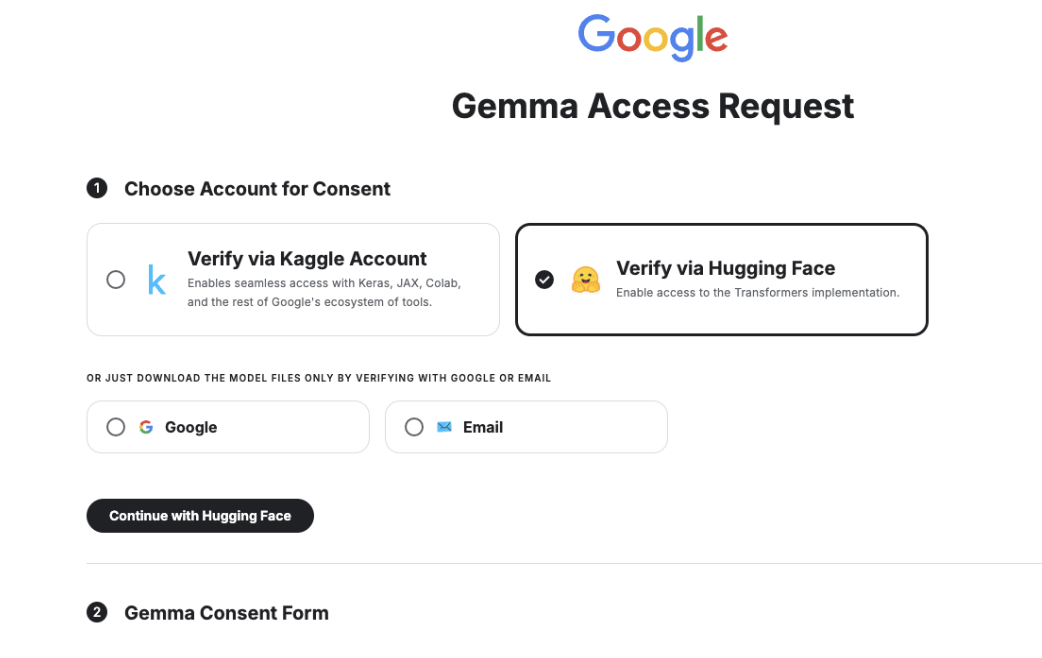
By following above step then will get as
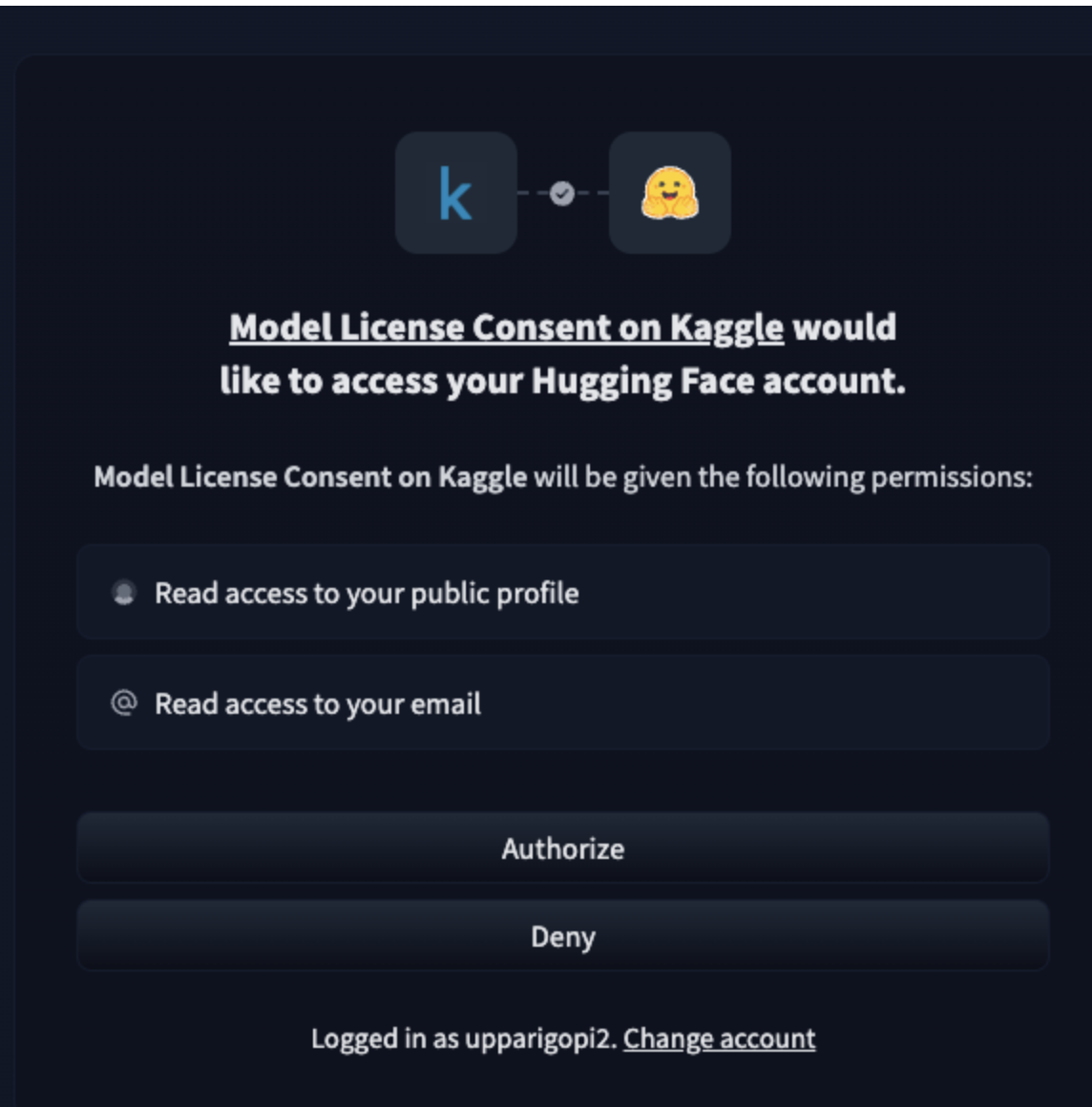
Click on "Authorize," which will redirect you to the Kaggle Gemma Consent Form page. Fill out the required fields, accept the terms, and you will receive access to the Google Gemma models on HuggingFace in less than a minute.
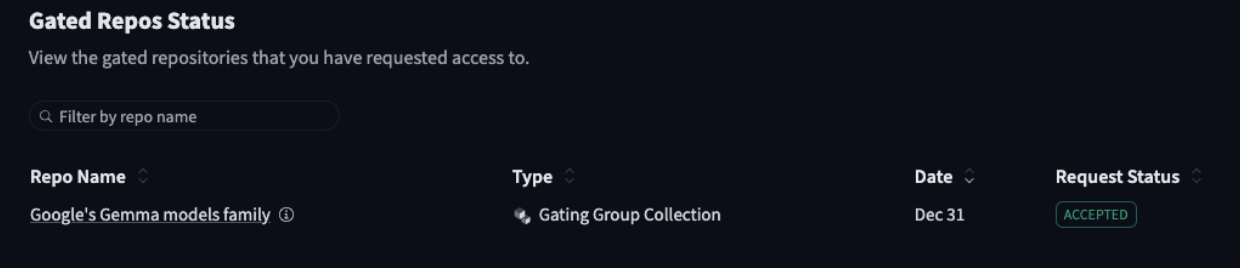
Thank you.


