

Torch detection bbox differs from JAX models?

I was using this model for detection and I noticed that the detection output tokens (the bbox) differs quite a bit between this model (when running locally) and the online HF space (that uses the JAX model).
The torch-version detections seem to be less accurate.
Often it is the second bbox coordinate (bottom-right) that is off, wherease the first coordinate is usually the same.
I'll give an example below:
torch local:<loc0379><loc0120><loc0761><loc0703> mug

jax hf space (from [here[(https://huggingface.co/spaces/big-vision/paligemma))

<loc0379><loc0120><loc0759><loc0731> mug
original image:
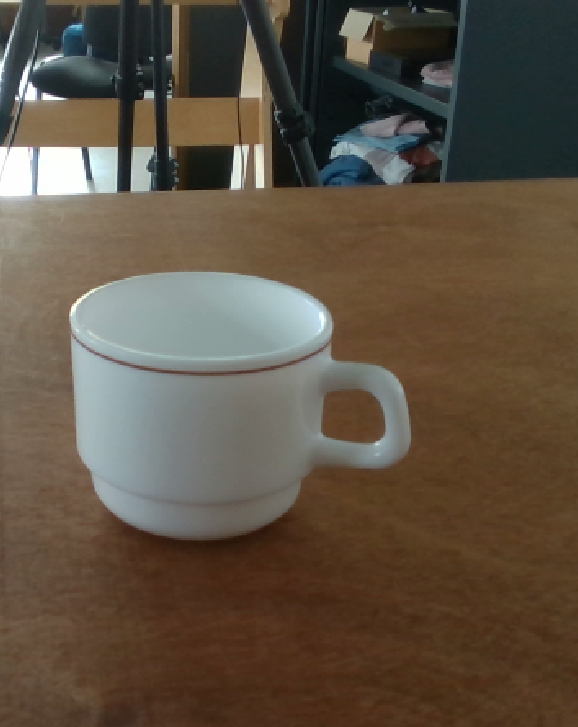
code to reproduce local coords:
import numpy as np

from PIL import Image
import requests
from transformers import AutoProcessor, PaliGemmaForConditionalGeneration
import torch


processor = AutoProcessor.from_pretrained("google/paligemma-3b-mix-448")
model = PaliGemmaForConditionalGeneration.from_pretrained("google/paligemma-3b-mix-448",device_map="cuda:0",revision="bfloat16",torch_dtype=torch.bfloat16).eval()

prompt = "detect mug"

url = "2024-06-10_17-46.png"
image = Image.open(url)
# url = "https://huggingface.co/spaces/big-vision/paligemma/resolve/main/examples/cc_fox.jpg?download=true"
# image = Image.open(requests.get(url, stream=True).raw)
image = np.array(image)[...,:3]

inputs = processor(text=prompt, images=np.array(image), return_tensors="pt")
inputs = {name: tensor.cuda() for name, tensor in inputs.items()}

# Generate
generate_ids = model.generate(**inputs, max_length=2000)
output = processor.batch_decode(generate_ids, skip_special_tokens=True, clean_up_tokenization_spaces=False)[0]
print(output)
Are these differences expected? Because qualitatively it feels as if the results are a lot better for the JAX models.
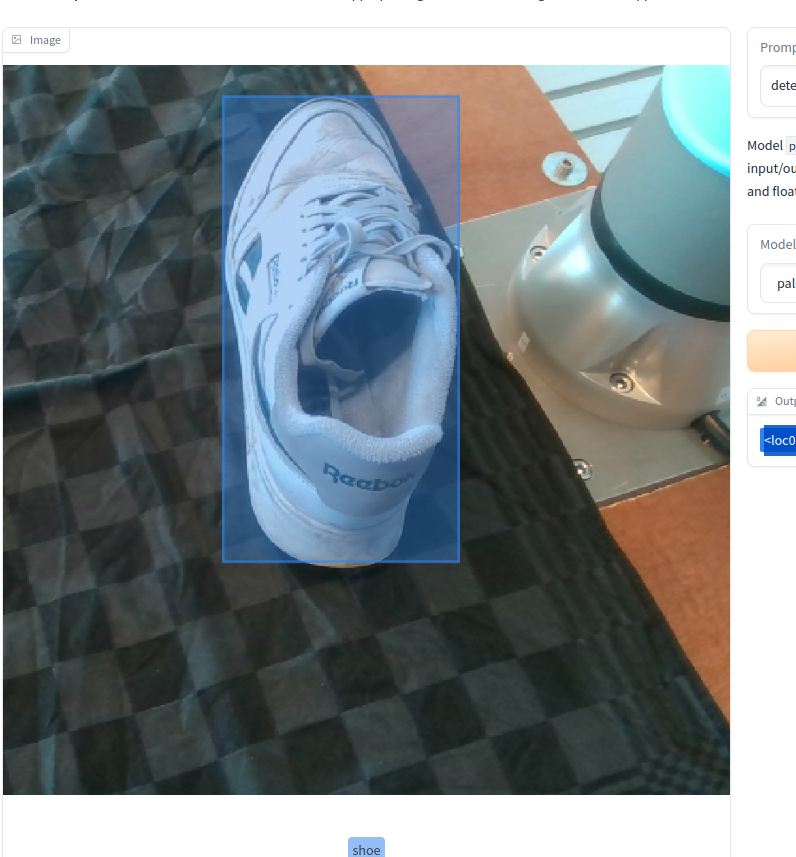


I'd expect the bbox to be the same for all versions
question: is the image preprocessing exact the same?
If not, it would explain the difference

I noticed the same, why is this happening?
@emanuelevivoli , I don't have a clue so far. If you have any suggestions, be my guest :) I ended up using GroundingDINO for now, as I did not want to go through the hassle of installing the JAX support stack for PaliGemma. But Paligemma feels superior imo, sou would be happy to fix this issue.
@gusthema , images get resized etc by the HF tokenizer so I would expect it to be the same. Particular steps I should look into?

Hello! Thanks all for the super-detailed reports, I'll take a look to see if we can find the reason for the discrepancy.
We're still investigating. A temporary workaround, as noted here, is to disable key-value caching with use_cache=True when calling generate. This results in very similar tokens to the ones produced by the JAX pipeline. There are still minor differences, mostly due to numerical differences in the pre-processing algorithms.

thanks to everyone here for reporting! I had time to check this today. It is indeed due to a miscalculation on the attention mask in the generation step, causing it to miss a part of past context. Should be able to patch this at worst tomorrow.
With a quick fix of the attention mask I'm getting results still slightly different from jax, as said by @pcuenq it's mostly numerical fluctuations.
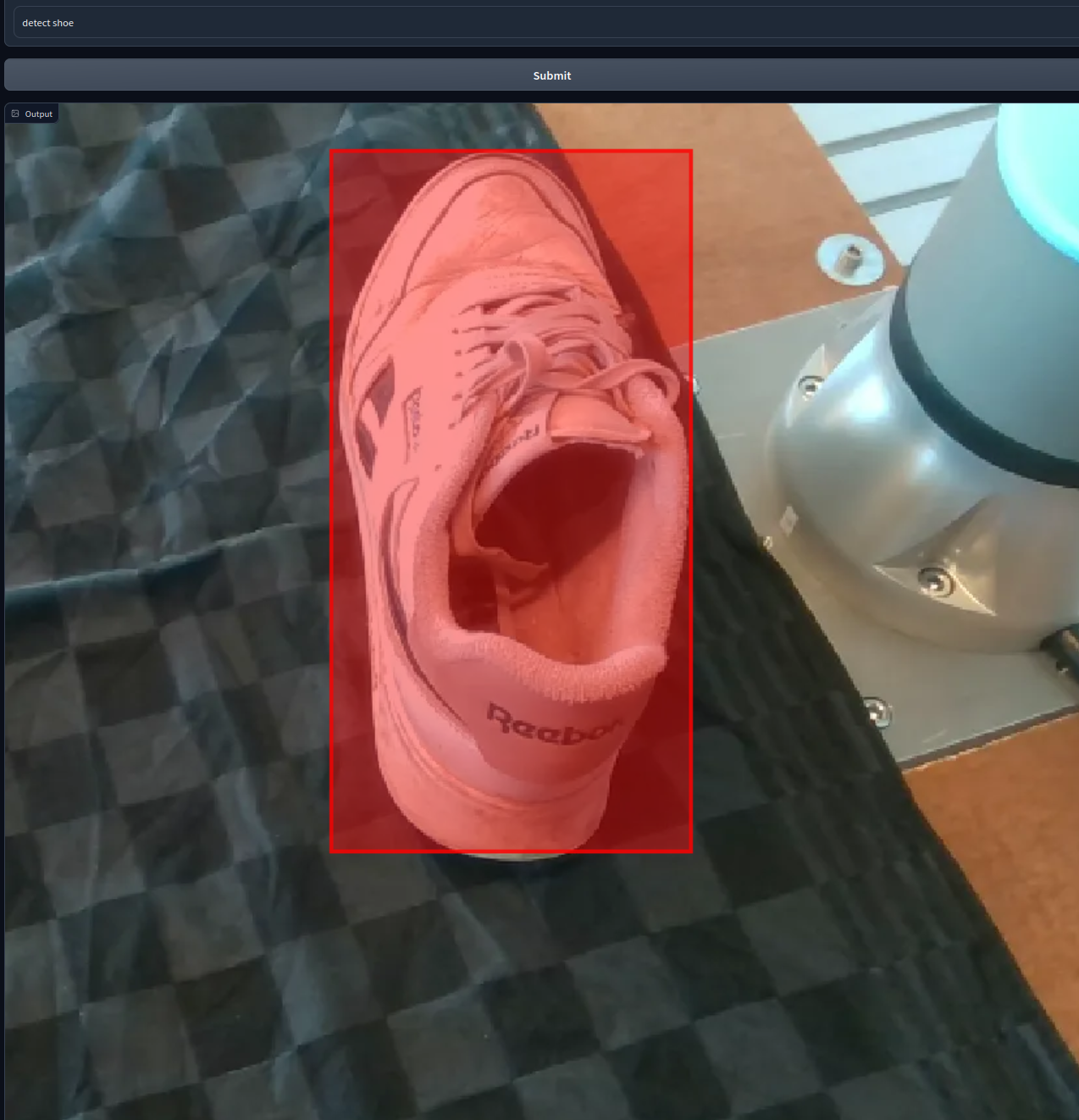
Thanks so much!
You're welcome! and @tlpss I tested with your originally reported example, seems to work as well now

once https://github.com/huggingface/transformers/pull/31587 is merged to main you'll be able to use Paligemma from transformer:main (and in the next release of transformers) and detection/segmentation tasks should be fine.
